Pre-launch Hair & beauty / Website & booking system
Eli Did That
A complete salon website with online appointments, client accounts and appointment management.
Open the website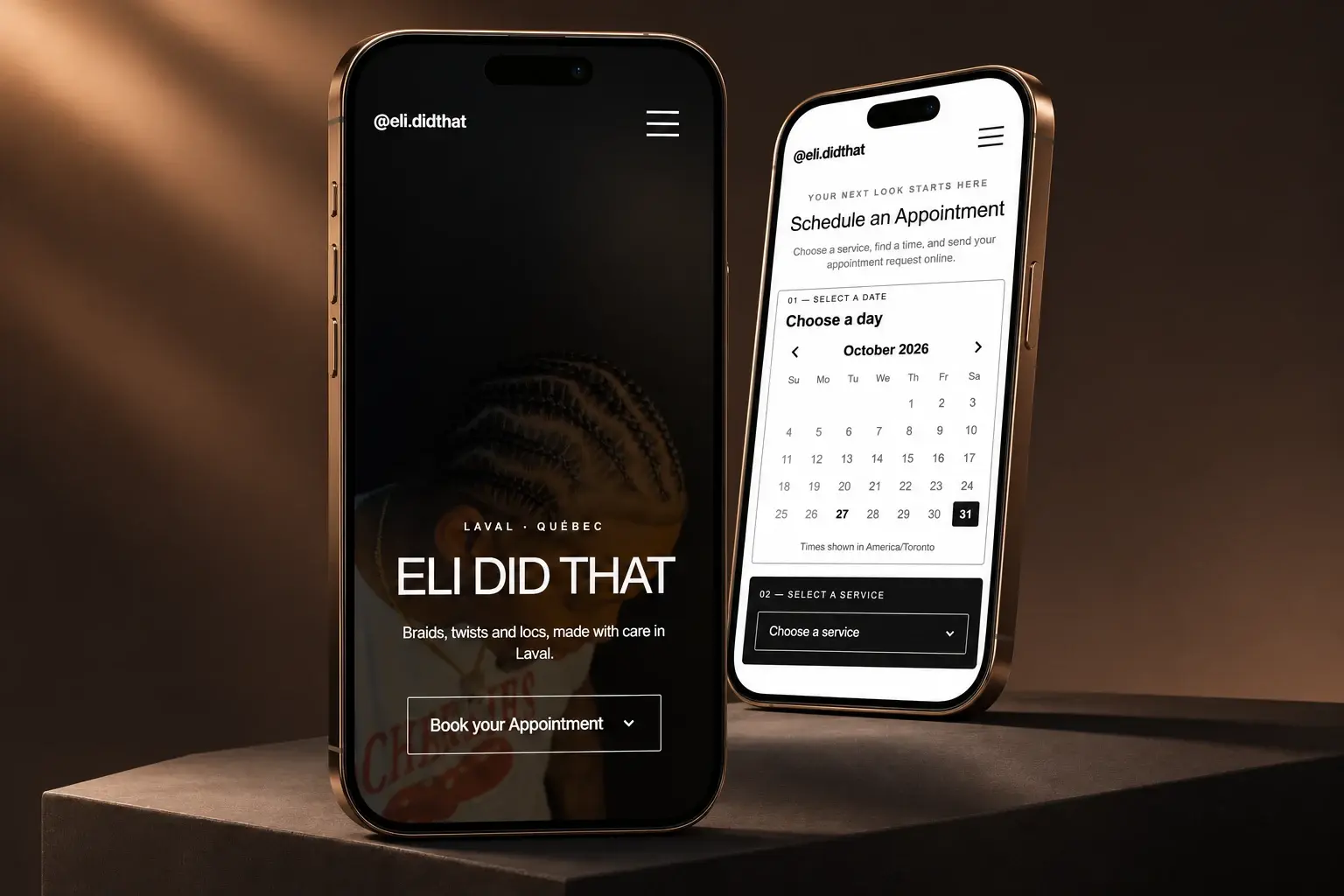
01 / The brief
Give a Laval hairstylist a complete online presence and a central place to manage appointments, with clients able to access their bookings.
02 / The approach
We built a complete appointment journey: choose a date, select a service and available time, then request an appointment as a guest. Returning customers can sign in to access their appointments; guests have a separate lookup route. On the business side, the owner accepts and manages appointments through her own dashboard developed with Payload CMS.
What this demonstrates
- Date, service and available-time selection
- Guest appointment requests without an account
- Customer account access and separate guest booking lookup
- Owner dashboard for accepting and managing appointments
- Payload CMS with PostgreSQL hosted on Supabase
- Email and SMS notifications with Resend and Twilio
- A foundation for adding staff in the future
The design process
Simple by design. Focused on the appointment.
The starting point was one clear priority: help visitors book an appointment. We built the experience around three essentials — booking, services and a gallery — with a direct layout that gives each a clear role.
A distinctive identity, in black and white.
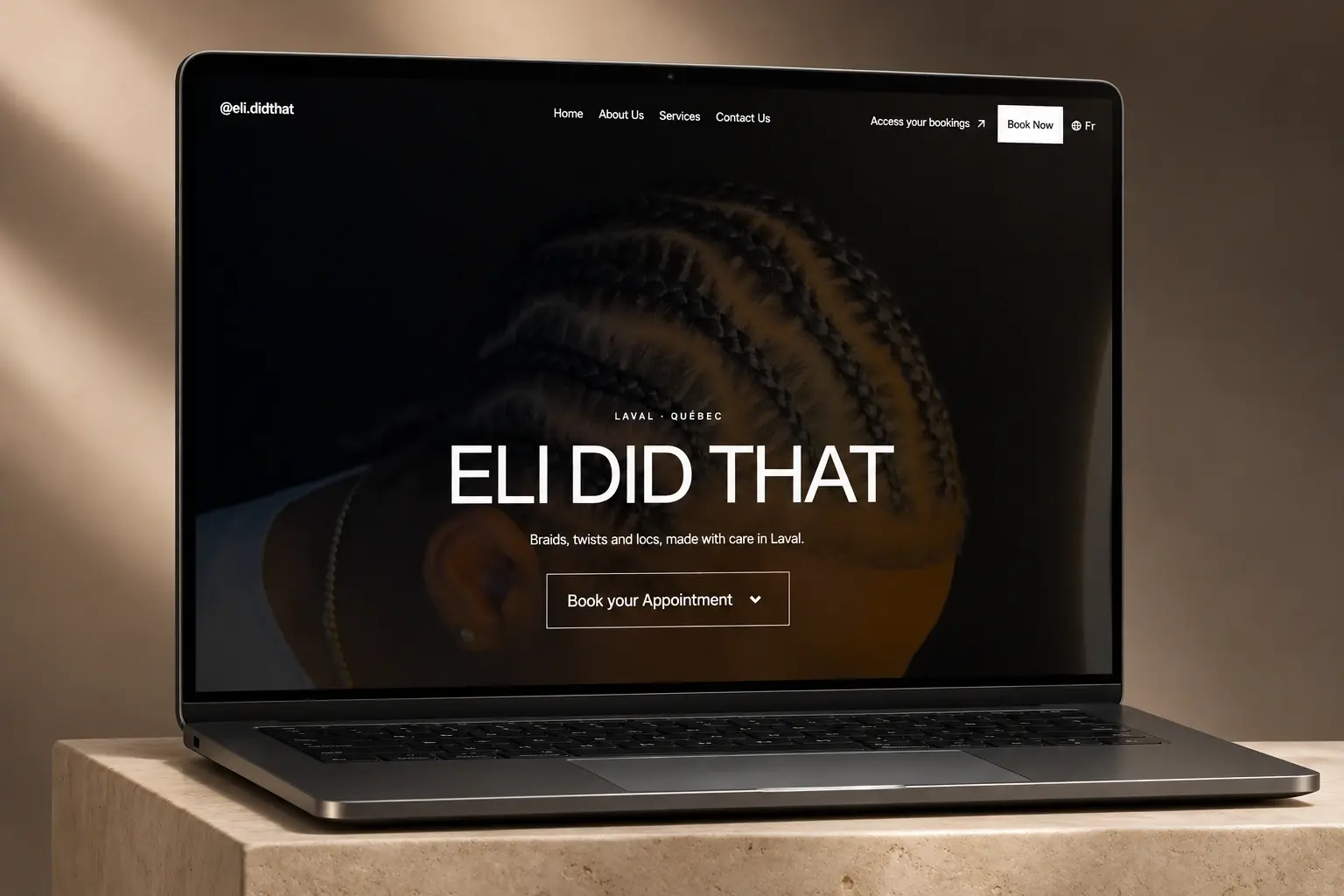
We chose two tones, black and white, to give the site a clear visual identity and keep the services and hairstyling imagery in focus. The booking interface follows the same visual language, so moving from discovering the brand to choosing an appointment feels like one continuous experience.
The client did not yet have a logo. We used the chosen typeface as a temporary wordmark in the navigation, linking it directly to her Instagram page. A video background in the hero brings movement and an inviting first impression to the otherwise restrained layout, with the aim of communicating professionalism from the first visit.
A familiar gallery. An experience made for mobile.
At the bottom of the page, the gallery takes its visual cues from Instagram. It gives the hairstylist’s work a familiar, image-led presentation and completes the essential journey: discover the services, explore the work and book. The simplicity is intentional; each section supports that purpose.
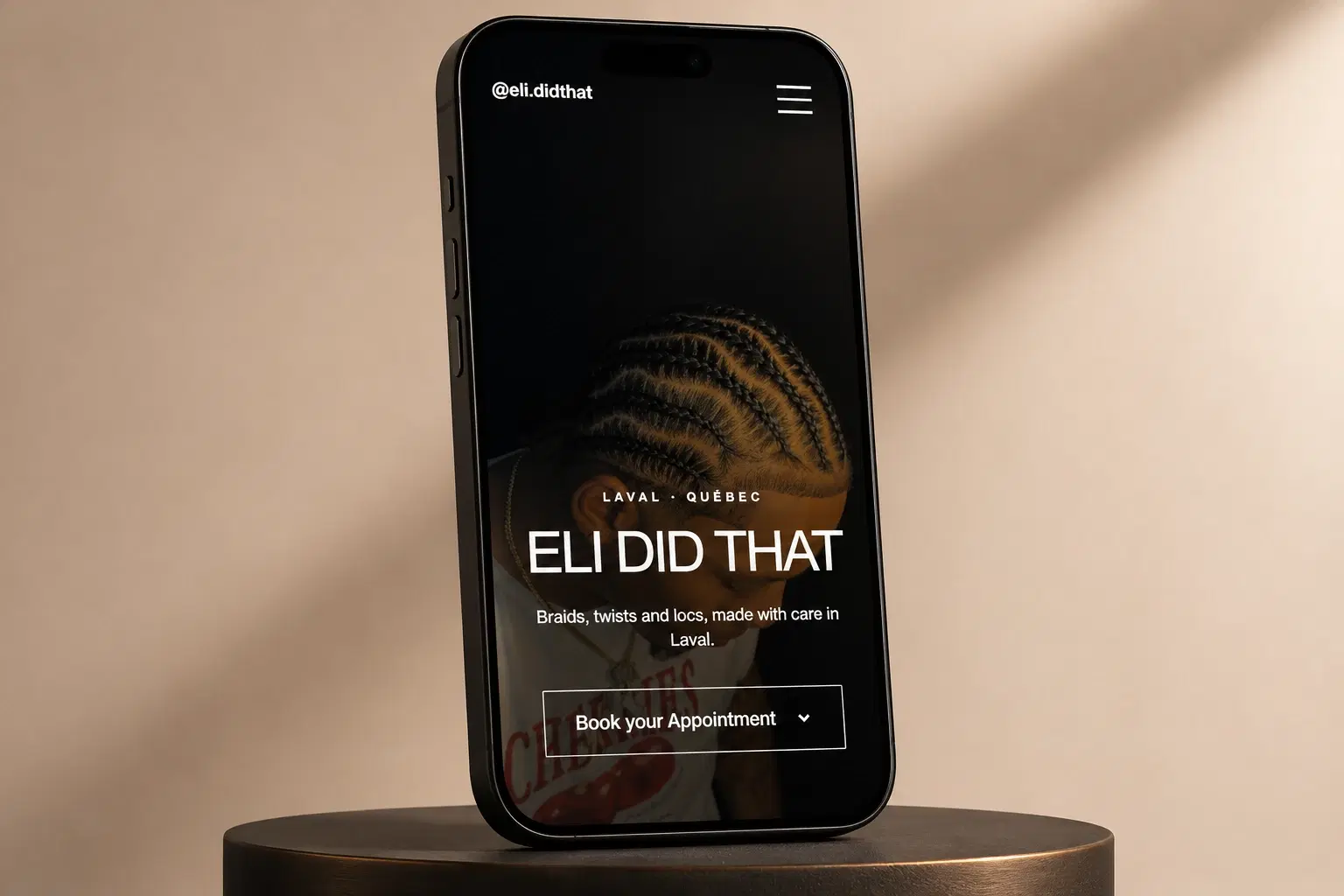
Mobile was a central design priority because we expected most visitors to arrive on their phones. We carried the same black-and-white identity, clear hierarchy and booking focus into the smaller layout. Returning customers also have their own interface to access and manage appointments, connecting the public-facing design to a practical everyday service.
The appointment experience
From the first visit to a managed appointment.
A website that connects the client’s booking journey with the owner’s day-to-day appointment management.
- 01
Choose a date
- 02
Select a service & time
- 03
Send a guest request
- 04
Owner reviews & accepts
01
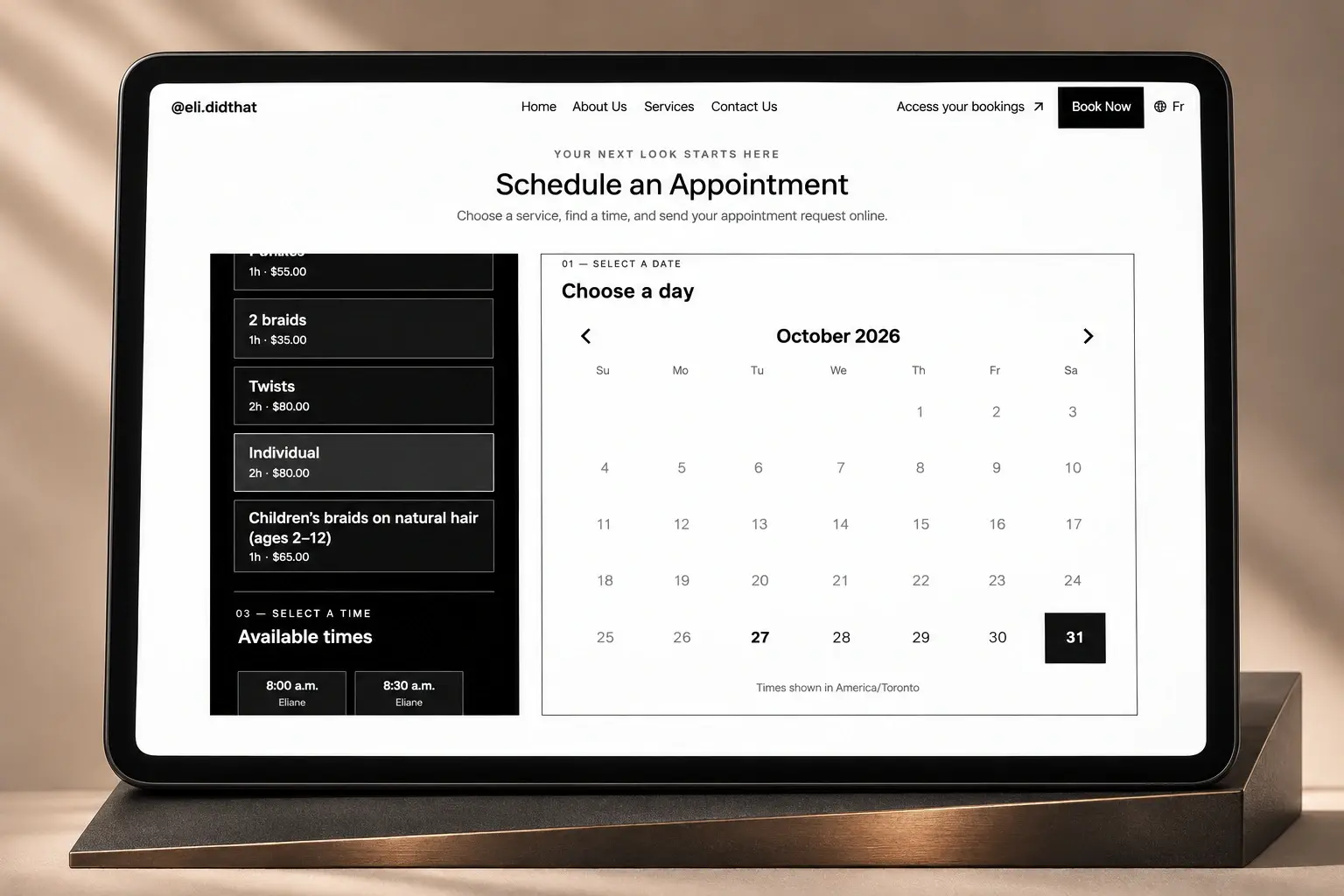
A guided booking process.
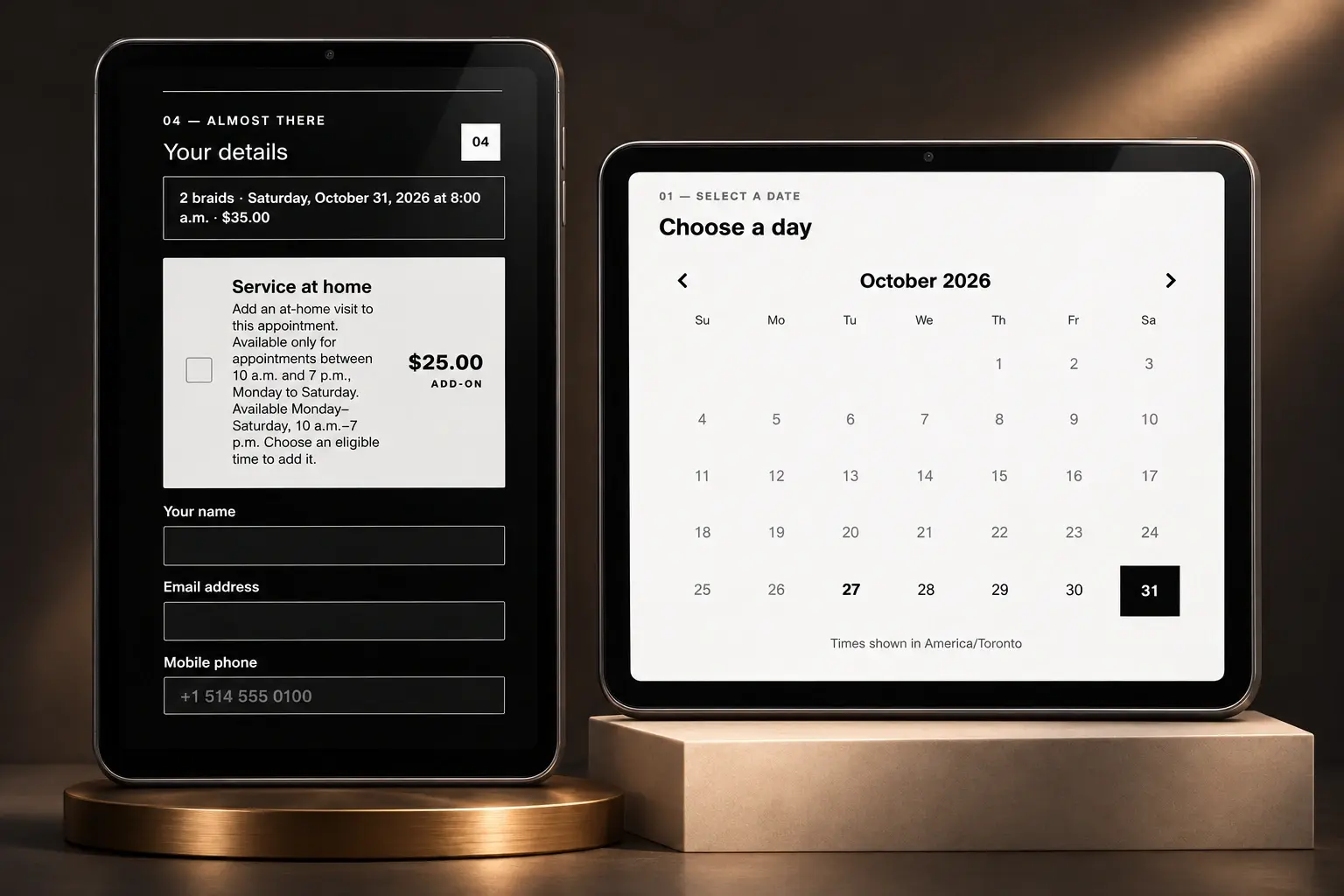
The hero’s booking call to action takes visitors straight to the first step. Each completed selection then scrolls the page to the next relevant step, guiding attention through the process. Choose a day, select a service with its price and duration, then pick an available time. The selected service and time carry through to the appointment request. The goal is a clear progression, with the next action brought into view as the visitor moves forward.
02
Book as a guest. Keep the process simple.
Clients can request an appointment without creating an account. The details step brings the selected service, date, time and price together, then collects a name, email address, mobile number and optional note. SMS updates have their own consent choice. The request then goes to the owner for acceptance.
03
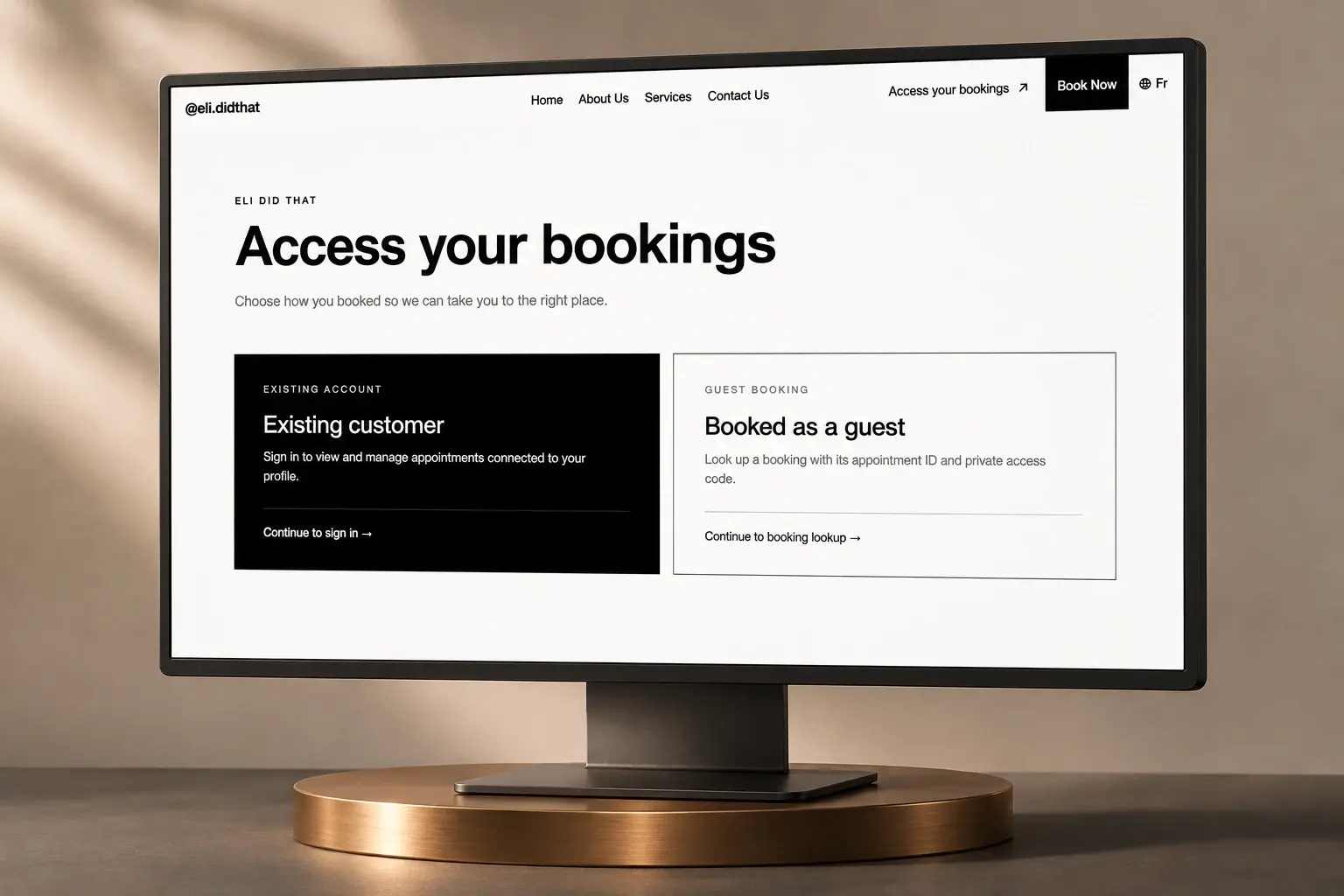
Two clear ways back to a booking.
The customer access page separates existing accounts from guest bookings. Account holders sign in to view and manage appointments connected to their profile. Guests can retrieve a booking using the appointment ID and private access code from their confirmation.
04
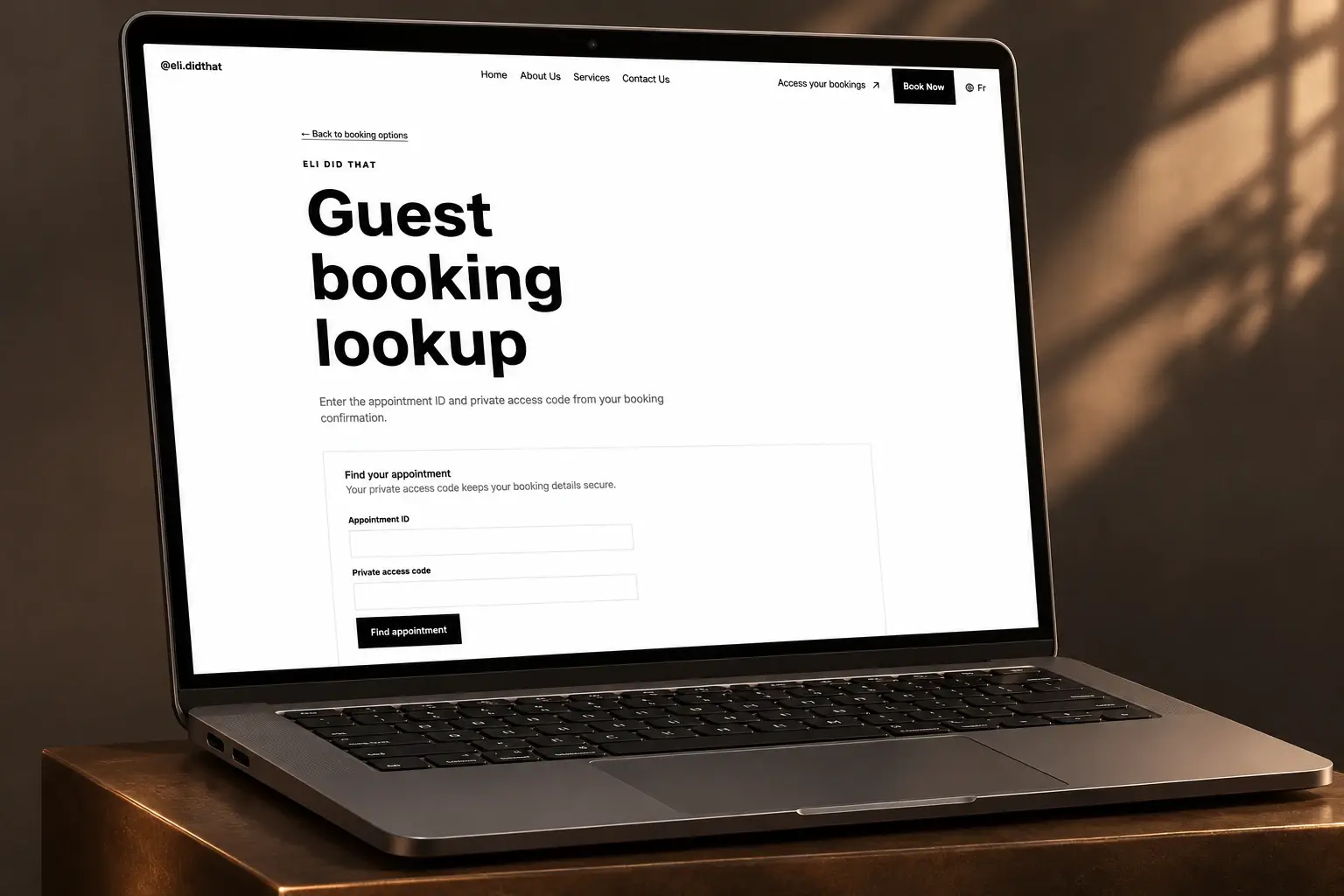
Guest access beyond the initial request.
Guest booking is supported after the request as well. A dedicated lookup asks for the appointment ID and private access code, giving guests a route back to their appointment without creating an account.
Built for her business today. Ready for a growing team.
We developed the owner’s dashboard with Payload CMS so she can accept and manage appointments, manage staff, set business hours and configure availability exceptions. The system was designed for scalability and customization, giving the owner control over how the business operates. If she introduces staff in the future, each team member will have their own access, separate from the admin panel, to manage appointments. The public booking flow, client access and business-management tools form a connected foundation that can evolve with her team.
- Accept and manage appointment requests
- Manage staff and business hours
- Configure availability exceptions
- Customize operations as the business evolves
- Provide future staff with separate appointment-management access outside the admin panel
The system behind the experience.
- Payload CMS
- Content and owner appointment dashboard
- PostgreSQL · Supabase
- Application database
- Resend
- Email notifications
- Twilio
- SMS notifications
Pre-launch project built by Pardusrex. Presentation mockups are based on the project preview; the website has not launched publicly. Staff expansion is a future capability.
Explore the service: Web Development
Let’s talk
Let’s start your project.
Tell us about your business, what you need and your timing. We’ll review your request and discuss a defined scope.
quote@pardusrex.com